Saturday, May 28, 2016

Xiaomiအသံုးျပဳသူမ်ားအတြက္​ သိမွတ္​ဖြယ္​ရာမ်ား

Xiaomi အသံုးျပဳသူမ်ားအတြက္ MIUI ROMs ေတြရဲ႕ မတူကြဲျပားျခားနားပံုေတြကို လြယ္လင့္တကူ နားလည္သိရွိႏိုင္ေစဖို႔ရန္အတြက္ ပို႔စ္ေလးတစ္ခု တင္ဆက္ေပးလုိက္ပါတယ္။


#Stable‬ ROMs ဆိုတာ ???

Stable ROMs ေတြကို MIUI Official Developers မ်ားက ျပဳလုပ္ထားပါတယ္။ ပံုမွန္အားျဖင့္ တစ္လတစ္ႀကိမ္ (သို႔မဟုတ္) ႏွစ္လတစ္ႀကိမ္ (သို႔မဟုတ္) အခ်ိန္အေတာ္ၾကာမွတစ္ႀကိမ္ (Bugs မရွိပါက) Update version ထုတ္လုပ္ေပးပါတယ္။
ဒါ့အျပင္ Stable ROMs အမ်ားစုဟာ Bugs (Errors) အနည္းဆံုးေသာ ROMs ေတြျဖစ္ၾကပါတယ္။ အသံုးျပဳသူ သင့္အေနနဲ႔ Errors (Bugs) ကင္းတဲ့ Stable ျဖစ္တဲ့ ROMs ကိုသေဘာက်သည္ျဖစ္ေစ၊ New Features ေတြကို ထြက္ထြက္ခ်င္း အသံုးမျပဳ (မစမ္းခ်င္သူ) လိုသည္ျဖစ္ေစ Stable ROMs ကို အသံုးျပဳႏိုင္ပါတယ္။

Stable ROMs ေတြရဲ႕ Version ေတြကို ယခုလိုခြဲျခားလို႔ရပါတယ္။ ( ဥပမာ - MIUI 7 stable version is V7.X.X.0 XXXXXXX ဆိုၾကပါစို႔။ v7 ကေတာ့ MIUI ရဲ႕ Main version ကိုဆိုလိုပါတယ္။ ဒုတိယေျမာက္ X.X ကေတာ့ MIUI version number ကိုဆိုလိုပါတယ္။ ေနာက္ဆံုးက XXXXXXX ေတြကေတာ့ ROMs ရဲ႕ Country code နဲ႔ Android Version ကို ဆိုလိုျခင္းျဖစ္ပါတယ္။
MIUI Official Stable ROMs ေတြကို ဒီ Links ကေန Download ရယူႏိုင္ပါတယ္ >en.miui.com/download.html

******************************************

‪#‎Developer‬ ROMs ဆိုတာ ???

Developer ROMs ေတြကို MIUI Official Developers မ်ားကပဲ ျပဳလုပ္ထားပါတယ္။ ထို႔အတူ Developer ROMs ေတြမွာေတာ့ ပံုမွန္ တစ္ပတ္လွ်င္တစ္ႀကိမ္ Update version ထုတ္ေပးပါတယ္။
ပံုမွန္ထုတ္ေပးေနတဲ့ Update version ေတြရဲ႕ changelogs ေတြ၊ changelog preview ေတြကိုလည္း MIUI Official Forum မွာ ေတြ႕ႏိုင္/ ဖတ္ႏိုင္ပါတယ္။ Developer ROMs ေတြမွာ အပတ္စဥ္ တစ္ပတ္တစ္ႀကိမ္ Update ထုတ္ေပးတာနဲ႔အတူ New features ေတြ ပါ၀င္လာေပမယ့္ Errors (Bugs) ေတြကေတာ့ ရွိပါလိမ့္မယ္။ ၄င္း Bugs ေတြကို ျပန္လည္ျပင္ဆင္ၿပီးမွသာ Stable ROMs ေတြမွာ ၄င္း New features ေတြကို ထည့္ပါတယ္။ 


အလြယ္ေျပာရရင္ Developer ROMs ဆိုတာ အသစ္အသစ္ေသာ Features ေတြကို သိလိုသူ၊ ကလိခ်င္သူ၊ စမ္းသပ္ခ်င္သူေတြအတြက္သာျဖစ္ပါတယ္။ ဒါေပမယ့္ Error (Bugs) ေတြကိုေတာ့ မလြဲဧကန္ႀကံဳေတြ႕ရမွာပါပဲ။ ဒါေၾကာင့္ Xiaomi ဖုန္းတစ္လံုးတည္းသာ အသံုးျပဳသူမ်ားအတြက္ (Normal User Level) မ်ားအတြက္ Developer ROMs အသံုးျပဳဖို႔အတြက္ အႀကံမျပဳလိုပါဘူး။

Developer ေတြရဲ႕ Version ေတြကို ယခုလိုခြဲျခားလို႔ရပါတယ္။ ( ဥပမာ - Redmi Note 3 Pro/ kenzo_images_6.4.9 ဆိုပါစို႔ ဒါကို kenzo_images_x.y.z လို႔သတ္မွတ္ၾကည့္ရေအာင္၊ X ဆိုတာ ၄င္း ROMs ထုတ္လုပ္တဲ့ ခုႏွစ္သကၠရာဇ္ကို ေဖာ္ျပတာပါ၊ 6 ဆိ္ုေတာ့ 2016 ကို ရည္ညႊန္းပါတယ္။ y ဆိုတာက ၄င္း ROMs ထုတ္လုပ္တဲ့ လ ကိုေျပာခ်င္တာပါ၊ 4 ဆိုေတာ့ April လကို ရည္ညႊန္းပါတယ္။ z ဆိုတာက ၄င္း ROMs ထုတ္လုပ္တဲ့ေန့ရက္ကို ဆိုလိုတာပါ၊ 9 ဆိုေတာ့ 9 ရက္ေန့ကို ရည္ညႊန္းပါတယ္။ Developer ROMs ေတြမွာဆိုရင္ Update version ေတြအတြက္ Full ROMs တစ္ခုလံုးကို Download လုပ္ႏိုင္သလို၊ Incremental ROMs pack ဆိုၿပီး လိုအပ္တဲ့ ROMs version သီးသန္႔အတြက္ (update pack) သက္သက္ Download လုပ္ၿပီး တင္ႏိုင္ပါတယ္။

MIUI Official Developer ROMs ေတြကို ဒီ Links ကေန Download ရယူႏိုင္ပါတယ္ >en.miui.com/download.html

*******************************************

‪#‎Ported‬ ROMs ဆိုတာ ???

Ported ROMs ေတြကို UnOfficial Developers ေတြနဲ႔ Third-party Developers ေတြကေန ျပဳလုပ္ၾကပါတယ္။ မ်ားေသာအားျဖင့္ Ported ROMs ေတြဟာ MIUI Developer ROMs ေတြအေပၚမွာ အေျခခံၿပီး ျပဳလုပ္ၾကပါတယ္။ MIUI Ported ROMs ေတြမွာလည္းပဲ Developer ROMs ေတြကဲ့သို႔လိုပဲ Version ေတြကို ယခုလိုခြဲျခားလို႔ရပါတယ္။ ( ဥပမာ - Samsung Galaxy Note 3/ n9005_4.9.26 ဆိုပါစို႔ ဒါကို n9005_x.y.z လို႔သတ္မွတ္ၾကည့္ရေအာင္၊ X ဆိုတာ ၄င္း ROMs ထုတ္လုပ္တဲ့ ခုႏွစ္သကၠရာဇ္ကို ေဖာ္ျပတာပါ၊ 4 ဆိ္ုေတာ့ 2014 ကို ရည္ညႊန္းပါတယ္။ y ဆိုတာက ၄င္း ROMs ထုတ္လုပ္တဲ့ လ ကိုေျပာခ်င္တာပါ၊ 9 ဆိုေတာ့ September လကို ရည္ညႊန္းပါတယ္။ z ဆိုတာက ၄င္း ROMs ထုတ္လုပ္တဲ့ေန့ရက္ကို ဆိုလိုတာပါ၊ 26 ဆိုေတာ့ 26 ရက္ေန့ကို ရည္ညႊန္းပါတယ္။ 


မ်ားေသာအားျဖင့္ Ported ROMs ေတြဟာ MIUI Developer ROMs ေတြေပၚမွာ အေျခခံထားတာျဖစ္ၿပီး ၄င္း Developer ROMs ဟာ Ported ROMs ထုတ္ေပးတဲ့ ဖုန္းအတြက္ ထုတ္လုပ္ေပးထားတာမဟုတ္တဲ့အတြက္ Developer ROMs ေတြထက္ Error (Bugs) ေတြ ပိုမိုမ်ားျပားပါတယ္။ ဒါေၾကာင့္ သက္ဆိုင္ရာ Ported ROMs အတြက္ Bugs Solved ျပဳလုပ္ဖို႔အတြက္ Ported ROMs ထုတ္လုပ္ေပးတဲ့ Porter ကို ဆက္သြယ္မွသာရပါလိမ့္မယ္။
အခ်ိဳ႕ေသာ Ported ROMs ေတြမွာ MIUI Developer ROMs ေတြလိုမ်ိဳးပဲ Update version ေတြအလိုက္ Incremental ROMs pack (update pack) ေလးေတြထုတ္ေပးတာေတြ႕ရပါတယ္။
MIUI Ported UnOfficial ROMs ေတြကို ဒီ Links ေတြကေန Download ရယူႏိုင္ပါတယ္ >http://en.miui.com/thread-4717-1-1.html ||| http://en.miui.com/thread-7898-1-1.html
 

*******************************************

China ROMs ႏွင့္ Global ROMs ရဲ႕ကြာျခားပံု

Xiaomi ဖုန္းအသံုးျပဳတဲ့သူေတြဟာ မၾကာခဏဆိုသလိုပဲ သူတို႔ရဲ႕ Devices မွာထည့္ထားတဲ့ MIUI China Build version နဲ႔ Devices Hardware နဲ႔ Software ေတြဟာ ကိုက္ညီမႈရွိရဲ႕လား၊ လံုၿခံဳမႈရွိရဲ႕လားဆိုတာကို စိတ္ရွဳတ္ေထြးေနၾကတာေတြရွိၾကပါတယ္။
တကယ္ေတာ့ ဒါဟာ စိုးရိမ္စရာကိစၥတစ္ခုေတာ့မဟုတ္ပါဘူး။ ဘာျဖစ္လို႔လည္းဆိုေတာ့ China Build MIUI ေတြဟာ Global Build MIUI ေတြလိုပဲ သင့္ရဲ႕ Devices ကို ေကာင္းမြန္တင့္တယ္ေစလို႔ပဲျဖစ္ပါတယ္။ ဒါေၾကာင့္ ကၽြန္ေတာ့္အေနနဲ႔ China MIUI နဲ႔ Global MIUI တို႔ရဲ႕ ကြဲျပားပံုအခ်ိဳ႕ကို ေဖာ္ျပေပးလုိက္ပါတယ္။

*******************************************

‪#‎China‬ Build MIUI ဆိုတာ ???

China Build MIUI ေတြမွာဆိုရင္ Google Apps ေတြ Google Services (GApps) ေတြ မပါရွိပါဘူး။ Language အေနနဲ႔ Chinese Language ႏွစ္ခုနဲ႔ English Language ဆိုၿပီး (၃) ခုပါ၀င္ပါတယ္။ ဒါ့အျပင္ China Build MIUI ေတြမွာ Chinese Apps ေတြနဲ့ Chinese Services ေတြ ပါ၀င္တဲ့အတြက္ Storage Space ကို သက္သက္ေနရာပိုေစတာေတြ႕ရပါတယ္။ မ်ားေသာအားျဖင့္ Chinese Apps ေတြက Chinese လူမ်ိဳးေတြအတြက္ေတာ့ အလြန္အသံုးတည့္တဲ့ Apps ေတြျဖစ္ၿပီး၊ ကၽြန္ေတာ္တို႔ ျမန္မာႏိုင္ငံမွာေတာ့ သံုးဖို႔အဆင္မေျပတဲ့ Apps ေတြမ်ားပါတယ္။ China Build MIUI ROMs ေတြမွာ Google Apps မပါဘူးဆိုေပမယ့္ Google Service Frameworks, Google Account Manager, Google Play Services နဲ႔ အျခားေသာ မိမိအတြက္လိုအပ္သည့္ Google Apps ေတြကို ထည့္သြင္းအသံုးျပဳလို႔ရပါတယ္။

*******************************************

‪#‎Globle‬ Build MIUI ဆိုတာ ???

Global Build MIUI ေတြကေတာ့ MIUI Users အမ်ားစု ႀကိဳက္ႏွစ္သက္တဲ့ ROMs ပဲျဖစ္ပါတယ္။ ဘာလို႔ဆိုေတာ့ သူက Chinese Apps ေတြမပါရွိပဲ Google Apps ေတြ တစ္ခါတည္းပါၿပီးသားျဖစ္ပါတယ္။ တစ္ခုရွိတာက Global Build ROMs ေတြဟာ China Build ROMs ေတြ Update ထြက္ၿပီးမွသာ Global Build ROMs ေတြထုတ္ေပးေလ့ရွိပါတယ္။ 

ဒါ့အျပင္ Global Build ROMs ေတြဟာ ပံုမွန္အားျဖင့္ English Language နဲ႔လာတဲ့အျပင္ အျခားေသာ Languages ေတြလည္း Multilanguages အေနနဲ႔ ပါ၀င္ၿပီးသားျဖစ္ပါတယ္။ Global Build ROMs ေတြဟာ Xiaomi MIUI ရဲ႕ Online Music တို႔ Xunlei Download Accelerator ကဲ့သို႔လိုမ်ိဳး အခ်ိဳ႕ Features ေတြမပါ၀င္ပါဘူး။ ဒီအတြက္လည္း Storage ကို အနည္းနဲ႔အမ်ား သက္သာေစတာေတြ႕ရပါတယ္။ အရင္ကေတာ့ Global Build ROMs ေတြဟာ Stable ROMs တစ္မ်ိဳးတည္းအတြက္သာ ထုတ္လုပ္ေပးတာျဖစ္ၿပီး Redmi 1S ကေနစၿပီးေတာ့ Global Build Developer ROMs ေတြကို ထုတ္လုပ္ေပးထားၿပီျဖစ္ပါတယ္။

*******************************************

Recovery ROM ႏွင့္ Fastboot ROM ကြာျခားပံု
================================

‪#‎Recovery‬ ROM ဆိုတာ ???

Recovery ROMs ေတြဟာ *.zip format နဲ႔လာပါတယ္။ Recovery ROMs ေတြကို မ်ားေသားအားျဖင့္ သင္လက္ရွိအသံုးျပုလ်က္ရွိတဲ့ ROM ကို Flash လုပ္ဖို႔၊ Update တင္ဖို႔အတြက္ အသံုးျပဳၾကပါတယ္။ Recovery ROM ကို နည္းလမ္းႏွစ္မ်ိဳးျဖင့္ တင္ႏိုင္ပါတယ္။ ပထမတစ္နည္းကေတာ့ Xiaomi MIUI ရဲ႕ Updater Apps ကေနတစ္ဆင့္ တင္ျခင္းျဖစ္ၿပီး၊ ဒုတိယတစ္နည္းကေတာ့ Mi Stock Recovery ဒါမွမဟုတ္ Custom Recoveries (Such as TWRP) ေတြကေန တင္ႏိုင္ပါတယ္။ Updater Apps ကေန MIUI Recovery ROMs ကိုတင္တာကေတာ့ လြယ္ကူရိုးရွင္းတဲ့နည္းလမ္းတစ္ခုျဖစ္ပါတယ္။ သက္ဆိုင္ရာ Recovery ROM.zip ကို ဖုန္းရဲ႕ Storage တစ္ခုခုေအာက္မွာထားပါ။ ထို႔ေနာက္ Updater Apps ကို ဖြင့္ပါ။ ၿပီးရင္ အေပၚဘက္ညာဘက္ထိပ္မွာ Menu Button (အေခ်ာင္းေလးသံုးခု) ကိုႏွိပ္ပါ။ Choose Update Package ကိုႏွိပ္ပါ။ ၿပီးရင္ Recovery ROM.zip ကိုေရြးေပးလုိက္ရံုပါပဲခင္ဗ်ာ။

Mi Stock Recovery (or) other Recoveries ေတြကေန Recovery ROMs ကို Flash လုပ္တာလည္း ထို႔နည္းတူပါပဲ။ ရိုးရိုးရွင္းရွင္းေလးပါ။ ဒါေပမယ့္ ဒီနည္းမွာကေတာ့ Recovery ROM.zip ကို ႀကိဳက္ႏွစ္သက္ရာေနရာထားလို႔မရပါဘူး။ ဖုန္း Internal Storage ရဲ႕ Root Folder ေအာက္မွာ ထားမွရပါမယ္။ ၿပီးရင္ေတာ့ Recovery Mode သို႔၀င္ၿပီး Install update.zip to System 1 ကိုေရြးၿပီး Flash လုပ္ရံုပဲျဖစ္ပါတယ္။ Recovery Mode ၀င္ဖို႔ နည္းလမ္းႏွစ္ခုရွိပါတယ္။ ပထမတစ္နည္းကေတာ့ ဖုန္းကို Power Off လုပ္ပါ။ Vol + ႏွင့္ Power တြဲၿပီး ၾကာၾကာဖိႏွိပ္ၿပီး ၀င္ႏိုင္ပါတယ္။ ဒုတိယတစ္နည္းကေတာ့ Updater Apps ကို ဖြင့္ပါ။ ညာဘက္အေပၚေထာင့္က Menu Button ကိုႏွိပ္ပါ။ Reboot to Recovery Mode ကို ႏွိပ္ၿပီးလည္း Recovery Mode သို႔၀င္ႏိုင္ပါတယ္။ ( မွတ္ခ်က္ : Recovery Mode သည္ Bootloader Locked ျဖင့္လာေသာ Devices မ်ားတြင္ အဆိုပါနည္းလမ္းမ်ားျဖင့္ Bootloader Unlocked မလုပ္ပါပဲ ၀င္လို႔မရပါ )

*******************************************

‪#‎Fastboot‬ ROM ဆိုတာ ???
Fastboot ROMs ေတြဟာ *.tgz format နဲ႔လာပါတယ္။ Fastboot ROMs ေတြကို မည္သည့္ပံုစံျဖင့္မဆို Xiaomi ဖုန္းမ်ားတြင္ အသံုးျပဳႏိုင္ၿပီး မ်ားေသာအားျဖင့္ Fastboot ROMs ကို Service Technicians ေတြနဲ႔ ဖုန္းေကာင္းေကာင္း ကလိတတ္သူေတြ အသံုးျပဳႏိုင္ၾကပါတယ္။ Fastboot ROMs အသံုးျပဳဖို႔ PC (Personal Computer) ျဖင့္သာ ေဆာင္ရြက္ႏိုင္ပါတယ္။ တြဲဖက္အသံုးျပဳမယ့္ PC မွာ Fastboot သိရပါမယ္။ ထို႔အတူ Fastboot ROMs ကို သက္ဆိုင္ရာ Devices မွာ Flash လုပ္ေပးႏိုင္တဲ့ Flash tools ေတြလိုအပ္ပါတယ္။ Official အေနနဲ႔ MiFlash (or) Mi PC Suite တို႔ကို အသံုးျပဳႏိုင္ပါတယ္။


 Flash tools နဲ႔အသံုးျပဳဖို႔အတြက္ သင့္ဖုန္းကို Fastboot Mode (or) Qualcomm Mode (or) Download Mode မ်ားျဖင့္ တင္ႏိုင္ပါတယ္။ Fastboot Mode ၀င္ဖို႔အတြက္ ဖုန္းကို Power Off လုပ္ပါ။ Power Button + Vol - တြဲႏွိပ္ၿပီး Fastboot Mode ၀င္ႏိုင္ပါတယ္။ Fastboot ROMs ရဲ႕ *.tgz ကို ျဖည္လိုက္မယ္ဆိုရင္ Fastboot Script file ေတြနဲ႔ Image file ေတြပါ၀င္ပါတယ္။ ဒါ့အျပင္ Fastboot ROMs script ေတြဟာ Windows version အတြက္ *.bat ျဖင့္ေသာ္လည္းေကာင္း၊ Linux version အတြက္ *.sh ျဖင့္ေသာ္လည္းေကာင္း ပါရွိပါတယ္။

ဒီပို႔စ္ဟာ မတူကြဲျပားတဲ့ ROMs ေတြအေၾကာင္းရွင္းလင္းတဲ့ပို႔စ္ျဖစ္တဲ့အတြက္ Fastboot ROMs အသံုးျပဳပံုကို ေနာက္ထပ္ပို႔စ္တစ္ခုျဖင့္ တင္ေပးပါ့မယ္။ Fastboot ROMs ေတြနဲ႔ အျခား ROMs ေတြအေၾကာင္းကို ဒီ Links မွာ ေလ့လာသိရွိရယူႏိုင္ပါတယ္ > http://en.miui.com/a-234.html

Myanmar Xiaomi Fans

Apkအလန္​းမ်ားစုစည္​းမႈ

apk အလန္းေတြကိုမွသံုးခ်င္ပါတယ္ဆိုတဲ့
ညီကိုမ်ားအတြက္
ေဖ့ဘုတ္နဲ႔ေဆာ့ဝဲမ်ားဆိုင္ရာနည္းပညာ
ျဖစ္တဲ့ကြၽန္ေတာ္ဆိုက္ေလးကစုဆီးလိုက္တဲ့
apk မ်ားစုဆီးမႈ
=====================
၁ !! ပံုျပျသကာသ apk -Download
၂ !! ဖုန္းအေအးေပးဆက္ apk-Download
၃ !! ဖုန္းရဲ႕မ်က္ႏွာျပင္မွာအသဲပံုေလးနဲ့
ေသာ့ခပ္လို႔ရမဲ့ apk -Download
၄ !! ဖုန္းထဲကစာအုပ္ေတြဖတ္မရတဲ့
ညီကိုေတြအတြက္စာအုပ္ဖတ္မဲ့ apk -Download
၅ !! ပံုေတြကိုစုၿပီး apk ျပဳ႕လုပ္ခ်င္သူေတြအတြက္
ျပဳ႕လုပ္လို႔ရမဲ့ apk -Download
၆ !! Root မလိုပဲဖုန္းဘားေပၚမွာ
စာေရးလို႔ရမဲ့ apk-Download
၇ !! Line apk -Download
၈ !! Viber မွပိုက္ဆံေပးေဒါင္းရမဲ့
ပံုေလးေတြကို Free ခိုးေဒါင္းေပးမဲ့ apk -Download
၉ !! အဂၤလိပ္စာမမၾကင္လယ္တဲ့
ညီကိုေတြအတြက္ဘာသာျပန္ေပးမဲ့
မင္းနင္း apk -Download
၁၀ !! မန္ယူခ်စ္သူမ်ားအတြက္မန္ယူ
Facebook apk -Download
၁၁ !! တစ္ဘက္ကလူမသိေအာင္ခိးုၿပီး
Video ႐ိုက္လို႔ရမဲ့ apk -Download
၁၂ !! မိမိဖုန္းကိုဘယ္သူခိုးဖြင့္လဲဆိုတာကို
ဖန္းေပးမဲ့သူခို႔ဖန္း apk -Download
၁၃ !! ဖုန္းထဲမွာျမန္မာစာအလွေလးေတြလိုခ်င္ပါတယ္ဆိုတဲ့ညီကိုေတြအတြက္
apk -Download
၁၄ !! ဖုန္းတစ္လံုးထဲမွာ viber ႏွစ္ခုသံုးလို႔ရမဲ့
apk -Download
၁၅ !! မိမိခ်စ္သူဖုန္းဘယ္ေနရာေရာက္ေနလဲ
ဆိုတာၾကည့္လို႔ရမဲ့ apk -Download
၁၆ !! ဖုန္းထဲမွာ talk မရိွေသးသူမ်ားအတြက္
Talk apk -Download
၁၇ !! ပိုက္ဆံေပးၿပီးဝယ္ရမဲ့ apk မ်ားကို
Free ခိုးေဒါင္းလို႔ရမဲ့ apk-Download
၁၈ !! တစ္ဘက္က WiFi ကိုအလြယ္ေလး
ဟက္လို႔ရမဲ့ apk-Download
၁၉ !! apk မ်ားကို sd ကဒ္သို႔
အလြယ္တစ္ကူေျပာင္းလို႔ရမဲ့ apk-Download
၂၀ !! လူႀကီးမိဘေတြမသိေအာင္ခ်စ္သူစီကို
လွ်ိဳ႕ဝွက္စာေရးလို႔ရမဲ့ apk -Download

Credit""

Blogနည္​းပညာစာအုပ္​မ်ား

Blogနဲ႔ဆိုင္​တဲ့စာအုပ္​မ်ား

BLOGS မွာ POST တင္နည္း
Download

ဘေလာ့ကိုအလြယ္ဆုံးျပဳျပင္နည္း
Download

Blogs မွာ LABELS  ထည့္နည္း  LINK ခ်ိတ္နည္းအျပည့္အစု
Download

Template ေဒါင္းယူနည္း ႏွင့္  Template သြင္းနည္း
Download

BLOGSPOT ရဲ႕ TEMPLATE ေတြကို အလြယ္ဆုံးျပဳျပင္နည္း
Download

How To Invite Author & How To Accept ( Blogging )
Download

BLOGS မွာအလြယ္ကူဆုံး MUSIC PLAYER ထည့္နည္း
Download

How To Creat Apk For Your Website 0r Blogs
Download

How To Do Your Blog Import-Export-Delete
Download

How To Do Your Web-Blogs Page Speed Faster
Download

ဘေလာ့ကာတစ္ေယာက္အတြက္ သိသင့္စရာေထြေထြရာရာ
Download

ဘေလာ့မွာ Chat Roll အလန္းစားေလး နဲ႕ ခ်က္ေဘာက္ဖန္တီးၾကမယ္
Download

မိမိတို႕ဘေလာ့မွာ  Power by Blogger  ဆိုတာကိုျဖဳတ္နည္း
Download

Credit-anonymous

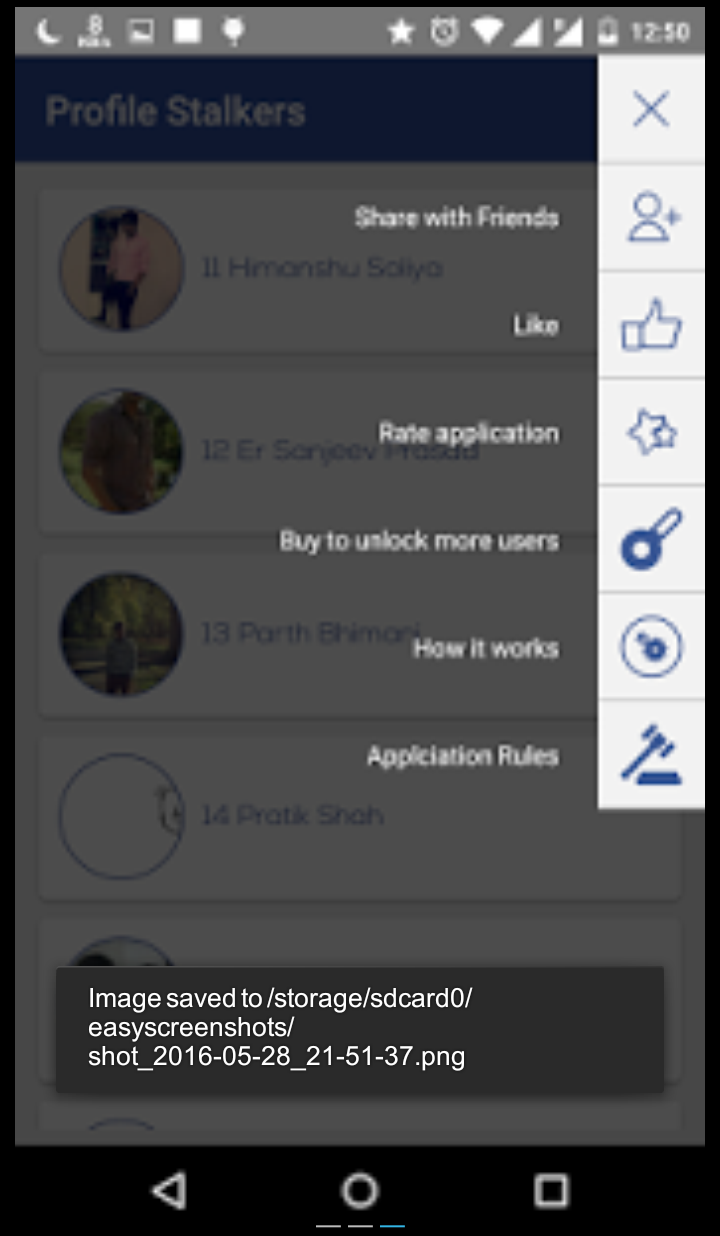
Profile Stalkers

ကိုယ့္ရဲ႕ facebook profile ကို ဘယ္သူဝင္ၾကည့္လဲ ကိုယ့္ကို ဘယ္သူ crush ေနလဲဆိုတာ သိခ်င္ပါသလား
သိခ်င္တယ္ဆိုရင္ေတာ့ Profile Stalkers ေလးကို အသံုးျပဳလိုက္ပါ
ဒီ apk ေလးကေတာ့ မိမိတို႔ facebook profile ကို ဝင္ၾကည့္တဲ့ သူေတြကို ေဖာ္ျပေပးမွာ ျဖစ္ပါတယ္

Profile Stalkers :
Do you really want to know who views my profile most ?
Let's find facebook profile stalkers. With this app You will get Profile stalkers in one list. Application is for entertainment use only. You will get list of people who have crush on you or your profile visitors.
I know Application is very interesting and may be you are so excited to use this app. Install app now Result may amaze you.
You will get real Facebook Profile stalkers.
Thanks,

What's New
IAP bug fixed,

Size : 4.2MB
Version : 1.1
Requires : Android 4.1 and up
Credit

Download

FotMob v31.16

FotMob v31.16
FotMob ဆိုတဲ့ application ေလးကေတာ့ ေဘာလံုးပြဲႀကိဳက္တဲ့ သူေတြအတြက္ ဖန္တီးေပးထားတဲ့ apk ေလးျဖစ္ပါတယ္
ဒီ apk ေလးကေနၿပီး League အသီးသီးရဲ႕ ကစားမဲ့ ပြဲစဥ္အခ်ိန္ အမွတ္ေပးဇယား စတာေတြအျပင္ အသင္းတစ္သင္းရဲ႕ တစ္ႏွစ္ပတ္လံုးမွာ ကစားၾကမဲ့ ပြဲစဥ္ေတြကိုလည္း ၾကည့္႐ႈႏိုင္ပါတယ္
ေဘာလံုးပြဲစဖို႔ နာရီဝက္ေလာက္ အလိုမွာဆိုရင္ အသင္းမွာ ပါဝင္ကစားၾကမဲ့ လူစာရင္း ေလာင္းေၾကး စတာေတြကိုလည္း ၾကည့္႐ႈႏိုင္သလို ေဘာလံုးပြဲၿပီးသြာတဲ့ အခါမွာလည္း ဒီပြဲစဥ္ရဲ႕ ေဘာလံုးပိုင္ဆိုင္မႈ ေဖာင္းေဘာ အဝါကဒ္ ေထာင့္ကန္ေဘာ အစ႐ွိတာေတြကိုလည္း အေသးစိတ္ၾကည့္႐ႈႏိုင္ေအာင္ စီစဥ္ေပးထားပါတယ္
ဒါေတြမကေသးပါဘူး League တစ္ခုခ်င္းစီမွာ  ဂိုးသြင္းထားတဲ့ ကစားသမားေတြရဲ႕ အမည္စာရင္းေတြအျပင္ ေဘာလံုးေလာကရဲ႕ သတင္းေတြကိုလည္း တစ္ေနရာထဲမွာ သိႏိုင္ေအာင္ ျပဳလုပ္ေပးထားပါတယ္
ကမၻာ အရပ္ရပ္က ေဘာလံုးပြဲ League ေပါင္းမ်ားစြာကို support ေပးထားတဲ့ အတြက္ေၾကာင့္ ေဘာလံုးပြဲႀကိဳက္တဲ့ သူေတြအေနနဲ႔ ဒီ application ေလးကို ဖုန္းထဲမွာ ထည့္ထားသင့္ပါတယ္

The #1 football app offering real time scores, news and breaking news notifications from your favorite teams.
FotMob covers Premier League, Championship, League 1&2, National North&South, La Liga, Bundesliga, Champions League and all the major leagues and tournaments in the world, over 200 leagues in total!Over10,000,000people already installed FotMob. Join them now and experience:
✔ Livescores with the fastest updates available
✔ Match stats (lineup, stats, goals, cards, penalties, missed penalties, assists and substitutions)
✔ Tables
✔ Fixtures
✔ News and top news notifications from all the major clubs
✔ Top scorers and top assists
✔ And much more!

Some leagues we cover:
★ Premier League
★ Championship
★ League 1 & 2
★ Conference
★ Eredivisie
★ Bundesliga
★ 2. & 3. Bundesliga
★ Serie A
★ Serie B
★ La Liga (Liga BBVA)
★ MLS (Major League Soccer)
★ Europa League
★ Champions League
★ World Cup 2018
★ Ligue 1 & Ligue 2
★ Mexican league
★ Scottish Premier League
★ Allsvenskan
★ Superettan
★ Tippeligaen
★ Adeccoligaen
★ and most other

What's New
- Added a "Did you know?" section to the most popular leagues
- Various bug fixes

Size : 14.6MB
Version : 31.16
Requires : Android 4.0.3 and up

Download

Credit-
တိုးတိုး(လြိဳင္​​ေကာ္​)သို႔သြားခ်င္​ရင္​

Web Hosting Server တစ္ခု မေရြးခ်ယ္ခင

Web Hosting Server တစ္ခု မေရြးခ်ယ္ခင္

ကၽြန္ေတာ္တို႕ web site ကို internet ေပၚ ေရာက္ဖို႕ဆိုရင္ web hosting service တစ္ခု လိုပါလိမ့္မယ္။

Web hosting ေတြဟာ သူတို႕မွာ ပါ၀င္တဲ့ feature ေတြေပၚမူတည္ျပီး free hosting ေတြကေနျပီးေတာ့ ေစ်းအရမ္းၾကီးတဲ့ business hosting ေတြထိရိွၾကပါတယ္။

ဘယ္ option ေတြကို ေရြးရမယ္ ဆိုတာကေတာ့ ကုိယ္႔ရဲ႕ web site ကို ဘယ္လို အသံုးျပဳဖို႕ ရည္ရြယ္ထားတယ္၊ ေငြ ဘယ္ေလာက္ သံုးမလဲ ဆိုတာေတြေပၚ အမ်ားၾကီး မူတည္ပါတယ္။

ကၽြန္ေတာ္တို႕ hosting တစ္ခု ေရြးေတာ့မယ္ဆိုရင္ အဓိက ဘယ္အခ်က္ေတြကို ၾကည့္သလဲဆိုတာကို share ေပးခ်င္ပါတယ္။

၁။ လိုအပ္ခ်က္ကို စစ္ေဆးပါ

အေရးၾကီးဆံုးအခ်က္ပါ။
လူတိုင္းက feature အမ်ားဆံုး၊ storage အမ်ားဆံုး၊ bandwidth အေကာင္းဆံုး hosting ကို ပိုင္ဆိုင္ခ်င္ၾကေပမယ့္ အေကာင္းဆံုးေသာအရာေတြဟာ ေစ်းအၾကီးဆံုးေတြျဖစ္ပါလိမ့္မယ္။

ဥပမာ ကုိယ္ 100 MB disk space ေလာက္နဲ႕ ရိုးရိုး static page ေလာက္ဘဲ တင္ခ်င္တယ္ဆိုရင္ေတာ့ ေစ်းသက္သာျပီး basic feature ေတြဘဲပါတဲ့ linux web hosting server ေတြကိုရွာသင့္ပါတယ္။

တစ္ကယ္လို႕သာ ေနာက္ဆံုး ASP.Net 4.0 အသံုးျပဳမယ္၊ MS SQL Server 2012 သံုးမယ္ ဆိုရင္ ေတာ့ ASP.Net 4.0 နဲ႕ MS SQL Server 2012 ရမယ့္ Windows hosting server ေတြကိုေရြးသင့္ပါတယ္။

၂။ Disk space/Storage

Storage ကေတာ့ hosting service တစ္ခုကို ေရြးခ်ယ္ရာမွာ အေျခခံအက်ဆံုး အခ်က္ပါ။ ကိုယ္႔ရဲ႕ web site ဟာ company ဒါမွမဟုတ္ ကိုယ္ရဲ႕ အေၾကာင္း ေလာက္ပဲ ေဖာ္ျပရံု ပံု+စာ စာမ်က္နာ ၁၀ မ်က္နာ ေလာက္ဘဲ ရိွတယ္ဆိုရင္ MB အနည္းငယ္ေလာက္က လံုေလာက္ပါလိမ့္မယ္။ အဲဒီလိုမွ မဟုတ္ဘူးဆိုရင္ေတာ့ unlimited disk space package ကိုေရြးသင့္ပါတယ္။ ဒါေပမယ့္ အဲဒီ package က ေစ်းအနည္းငယ္ မ်ားသြားေစပါလိမ့္မယ္။

၃။ Bandwidth

Bandwidth ဆိုတာကေတာ့ ကိုယ္႔ရဲ႕ ့hosting provider ကေန တစ္လအတြင္း user ေတြကို ခြင့္ျပဳတဲ့ download နဲ႕ upload ပမာဏ ကိုေျပာတာပါ။ ဥပမာ ကိုယ္႔ web site ဟာ user ေတြကို audio, video နဲ႕ photo ေတြ ကို download/upload လုပ္ခြင့္ ေပးတဲ့ blog web site တစ္ခု ျဖစ္မယ္ဆိုပါစို႕။ ကိုယ္႔ရဲ႕ hosting provider က 50GB bandwidth ေပးထားတယ္ဆုိရင္ တစ္လအတြင္းမွာ စုစုေပါင္း 50GB ထက္ေက်ာ္ျပီး download/upload လုပ္ လုိ႕မရပါဘူး။ ပံုမွန္အားျဖင့္ ေစ်းခ်ိဳတဲ့ hosting service ေတြမွာ အဲဒီ ျပသနာရိွပါဘယ္။

၄။ Domains / Subdomains အေရအတြက္

Domain name ဆိုတာကေတာ့ mistinemyanmar.com, facebook.com, google.com တို႕ကိုဆိုလိုတာပါ။

Subdomain ဆိုတာကေတာ့ jobs.mistinemyanmar.com, play.google.com လိုမ်ိဴးကိုေျပာတာပါ။

တစ္ခ်ိဳ႕ေနရာေတြမွာ ကိုယ္႔ web site ဟာ subdomain ေတြကို ညႊန္းတာမ်ိဳးေတြ ရိွပါတယ္။ ဒါေၾကာင့္ ကိုယ္႔ web site က domain နဲ႕ subdomain ေတြဘယ္ေလာက္လိုအပ္လဲ hosting provider ကဘယ္ေလာက္ support ေပးလဲဆိုတာေတြကုိ စစ္ေဆးဖို႕ လိုပါမယ္။ ေစ်းခ်ိဳတဲ့ hosting provider ေတြမွာေတာ့ domain နဲ႕ subdomain အေရအတြက္ကို ကန္႕သက္ထားတာေလးေတြရိွပါတယ္။

၅။ Email Accounts

Email account ကေတာ့ အဲဒီ hosting မွာ ရိွတဲ့ ကိုယ္႔ရဲ႕ domain name ကို အသံုးျပဳျပီး create လုပ္ထားတဲ့ email account ေတြကိုေျပာတာပါ။

ဥပမာ it@mistinemyanmar.com, hr@mistinemyanmar.com စသည္ျဖင့္ေပါ့။ တစ္ခ်ိဳ႕ hosting provider ေတြကေတာ့ email account ဘယ္ႏွစ္ခုဘဲ create လုပ္ခြင့္ရိွတယ္ဆိုတာကို ကန္႕ထားတက္ပါတယ္။ တကယ္လို႔ ကုိယ္႔ရဲ႕ domain ကိုသံုးျပီး email account ေတြကို unlimited create လုပ္ခ်င္ရင္ unlimited email account package မ်ိဴးကို ေရြးသင့္ပါတယ္။

၆။ Control Panel

ကိုယ္႔ web hosting မွာ control panel ပါလားဆိုတာ သတိထားေစခ်င္ပါတယ္။ Control panel ဟာ web master site တစ္ခုပါဘဲ။ အဲဒီမွာ available disk space ေတြ၊ bandwidth ေတြ စစ္ေဆးလို႕ ရသလို FTP account ေတြ၊ Email account ေတြ၊ subdomain ေတြ၊ database ေတြ create လုပ္လို႕ရပါတယ္။

ရ။ Development Features

ကိုယ္႔ရဲ႕ web site ဟာ PHP 5 နဲ႕ My SQL 5 database ကို သံုးထားမယ္ဆိုရင္ web hosting က PHP 5 နဲ႕ My SQL 5 ကို support လုပ္တဲ့ hosting ကို ေရြးခ်ယ္ရပါမယ္။ Flash သံုးမယ္ဆိုရင္ Flash support လုပ္မလုပ္ပါ စစ္ေဆးရပါမယ္။

ASP.Net 4 နဲ႕ MS SQL Server 2012 ကို သံုးမယ္ဆိုရင္ေတာ့ ASP.Net 4 နဲ႕ MS SQL Server 2012 ကို support လုပ္တဲ့ hosting မ်ိဳးကို ရွာရပါမယ္။

PHP နဲ႕ My SQL ကိုဘဲ သံုးမယ္ဆိုရင္ေတာ့ PHP Linux hosting ေတြရိွပါတယ္။ ေစ်းလည္းသက္သာပါတယ္။

ASP.Net နဲ႕ MS SQL Server database ေတြ သံုးရင္ေတာ့ ASP.Net Windows hosting ေတြရိွပါတယ္။ ေစ်းနည္းနည္း ၾကီးပါတယ္။

မ်ားေသာအားျဖင့္ ASP.Net Windows hosting ေတြမွာ PHP တို႕ My SQL တို႕ Ruby တို႕ အစံုရတာမ်ားပါတယ္။

MS SQL Server ကို ေတာ ့hosting provider ေတာ္ေတာ္မ်ားမ်ားမွာ number of database ဒါမွမဟုတ္ size of database နဲ႕ ကန္႕သက္ထားတာေလးေတြရိွပါတယ္။

ကိုယ္႔ရဲ႕ data ေတြေပၚမူတည္ျပီး သတိထားရမယ့္ အခ်က္ပါ။

ကၽြန္ေတာ္ အၾကိဳက္ဆံုး ASP.Net windows hosting ေတြကေတာ့

1.WWM (http://www.worldwidemyanmar.com/) (ျမန္မာလိုစံုစမ္းေမးျမန္းလို႔ရပါတယ္)

2. Arvixe (http://www.arvixe.com/)
ေစ်းအသင့္အတင့္ရိွျပီး Feature ေတာ္ေတာ္စံုပါတယ္။

3. discountASP (http://www.discountasp.net/)
ေစ်းနည္းနည္းမ်ားပါတယ္။ Latest Microsoft development tools ေတြသံုးမယ္ဆိုရင္ေတာ့ အေကာင္းဆံုးပါဘဲ။

Credit :  Ko San Lin Htet

Android ဖုန္းေတြမွာ အျဖစ္မ်ားတဲ့ Google Playstore Error Code မ်ားနဲ႔ ေျဖရွင္းနည္းမ်ား

Android ဖုန္းေတြမွာ အျဖစ္မ်ားတဲ့ Google Playstore Error Code မ်ားနဲ႔ ေျဖရွင္းနည္းမ်ား
****************************************************************

ကုိယ္က Playstore က appliction ၁ခု download လုပ္တဲ့အခ်ိန္ Error message ေတြ က်လာၿပီး Download လုပ္လို႔မရတဲ့ အျဖစ္မ်ဳိး စိတ္ပ်က္္စရာေကာင္းပါတယ္

ဒီလိုအျဖစ္မ်ိဳးျဖစ္ရင္ေအာက္က Error Code နဲ႔တိုက္ၿပီး ေျဖရွင္းနည္းအတုိင္းေျဖရွင္းႏုိုင္ပါတယ္။

1.   Google Playstore Error DF-BPA-09 (Error Processing Purchase)
***************************************************

ဒီErrorက applicationတခုက္ိုDownload လုပ္တဲ့အခါမွာ ျဖစ္တတ္ပါတယ္။

ေျဖရွင္းနည္း ။ ။ ဖုန္း Settings > Application > All > Google Service Framework > Clear Data လုပ္ေပးလိုက္ပါ။ အဆင္ေျပပါေစ...

********************************************************

2.   Google Play Store Error Code 194
**********************************

ဒီErrorကလဲGameတုိ႔ Application တုိ႔download လုပ္တဲ့ အခ်ိ္န္အျဖစ္မ်ားပါတယ္။

ေျဖရွင္းနည္း ။ ။ ဖုန္း Settings > Applications > All > Google Play Store > Force Stop ၿပီးရင္ Clear Data လုပ္ပါ။

ၿပီးရင္Google Service Framework > Clear Dataလုပ္လုိက္ပါ။အဆင္ေျပပါေစ...

********************************************************

4.   Google Play Store Error Code 941
********************************

ဒီ Errorက Google Playstore ကို update လုပ္ေနစဥ္နဲ႔ လုပ္ၿပီးအျဖစ္မ်ားပါတယ္

ေျဖရွင္းနည္း ။ ။ ဖုန္းSettings > Apps > All > Google Playstore နဲ႔ Download Manager ကို Clear Data and Clear Cacheလုပ္ၿပီး မွ Update ျပန္လုပ္ၾကည့္ပါ။အဆင္ေျပပါေစ....

********************************************************

5.   Google Play Store Error Code rh01
****************************************

ဒီ Error ကေတာ့ account server နဲ႔ ခ်ိတ္ဆက္တဲ့အခ်ိန္တက္တဲ့ errorမ်ိဳးပါ။

ေျဖရွင္းနည္း ၁ ။ ။ ဖုန္းsettings > Apps > All > Google Play Store နဲ႔ Google Service Framework ကို Clear data နဲ႔ Clear cacheလုပ္ပါ။

ေျဖရွင္းနည္း ၂ ။ ။ Gmail account ကိုဖုန္းထဲမွ remove လုပ္ပါ ၿပီးလ်ွင္ဖုန္းကို restartလုပ္ၿပီး ျပန္တက္လာပါက Gmail account ကို Sign in လုပ္ေပးလိုက္ပါ။အဆင္ေျပပါေစ...

********************************************************

6.   Google Play Store Error Code rpc:s-5:aec-0
******************************************

ဒီ Error ကေတာ့ account server နဲ႔ ခ်ိတ္ဆက္တဲ့အခ်ိန္တက္တဲ့ errorမ်ိဳးပါ။

ေျဖရွင္းနည္း ။ ။ ဖုန္းSettings > Apps > All > Google Play Store > Clear Cache နဲ႔ Uninstall Updatesလုပ္ေပးပါ။ Download Manager နဲ႔ Google Service Framework ကိုေတာ့ Clear Cache ပဲလုပ္လိုက္ပါ။အဆင္ေျပပါေစ...

********************************************************

7.   Google Play Store Error Code 504
***********************************

ုဒီerror ကApp could not be downloaded due to an error နဲ႔ အတူတူပါပဲ။

ေျဖရွင္းနည္း ။ ။ ဖုန္းSettings > Apps > All > Google Play Store နဲ႔ Google Services Framework ကို Clear data and Clear Cache လုပ္လိုက္ပါ။ error ဆက္တက္ေနပါက gmail account ကို remove လုပ္ၿပီး ျပန္sign in လုပ္ၾကည့္ပါ။အဆင္ေျပပါေစ...

********************************************************

8.   Google Play Store Error Code 491
**********************************

ဒီError ကိုု Download and update impossible ျဖစ္တဲ့ error လို႔သတ္မွတ္ႏုိင္ပါတယ္။

ေျဖရွင္းနည္း ။ ။ Gmail Account ကို Remove လုပ္ၿပီး ဖုန္းကိုrestartလုပ္ပါ။ စက္ျပန္တက္လာတာနဲ႔ account ကုိ sign in ျပန္လုပ္ေပးလိုက္ပါ။အဆင္ေျပပါေစ...

********************************************************

9.   Google Play Store Error Code 498
************************************

ဒီ Error ကိုေတာ့ Interruption Of Downloads လုိေ့ခၚပါတယ္။Download လုပ္ေနရင္းနဲ႔ မၾကာခဏတက္တဲ့ errorပါ။

ေျဖရွင္းနည္း ၁ ။ ။ ဖုန္းထဲမွာ Cache file ေတြျပည့္ေနရင္ျဖစ္တတ္ပါတယ္။ သိပ္မသံုးတဲ့ application နဲ႔ မလိုတဲ့ file ေတြကိုုဖ်က္လိုက္ရင္အစဥ္ေျပႏုိင္ပါတယ္။

ေျဖရွင္းနည္း ၂ ။ ။ ဖုန္းကို power ပိတ္လုိက္ပါ ၿပီးရင္ Recovery mode ထဲကို Volume Down+Power+Home buttonေတြနွိပ္ၿပီး ဝင္လိုက္ပါ။ Recocery Mode မွာ Optionsေတြအမ်ားႀကီးရွိပါတယ္ ရွိတဲ့ optionsေတြထဲက Wipe Cache Partition ကို Volume buttonနဲ႔သြားၿပီး power keyနဲ႔ selectလုပ္လိုက္ယံုပါပဲ။အဆင္ေျပာပါေစ...

********************************************************

10.   Google Play Store Error Code 919
************************************

ဒီErrorကေတာ့ applicationကို download လုပ္လို႔ေတာ့ရမယ္ ဒါေပမဲ့Download လုပ္ၿပီး Runလို႔မရတဲ့errorမ်ိဳးပါ။

ေျဖရွင္းနည္း ။ ။ ရုိးရွင္းပါတယ္ သင့္ဖုန္းရဲ႕Storage ျပည့္ေနၿပီဆုိတာ သိလိုက္ပါေတာ့ ဒီေတာ့ မလိုအပ္တဲ့ data fileေတြကို ဖ်က္တာတုိ႔ Sdcardထဲ move လုပ္လိုက္တာတုိ႔ လုပ္လိုက္ယံုပါပဲ။အဆင္ေျပပါေစ...

********************************************************

11.   Google Play Store Error Code 921
************************************

ဒီErrorကေတာ့ aplicationေတြ download လုပ္ခါနီးမွာ အျဖစ္မ်ားတဲ့ error ပါ။

ေျဖရွင္းနည္း ။ ။ Google Play Store ကို Clear data / Clear Cache လုပ္လိုက္ပါ။ၿပီးရင္ gmail account ကို removeလုပ္ပါ။ ဖုန္းကို Restart လုပ္ၿပီး ျပန္တက္လာမွ Account ကို sign in လုပ္ပါ။အဆင္ေျပပါေစ...

********************************************************

12.   Google Play Store Error Code 923
************************************

ဒီError ကေတာ့ Sync ပိုင္းနဲ႔ ပတ္သတ္ေနၿပီး cache memory မလံုေလာက္ရင္ျဖစ္တာမ်ားပါတယ္။

ေျဖရွင္းနည္း ။ ။ ပထမဆံုး gmail accout ကို remove လုပ္လိုက္ပါ ၿပီးရင္ စက္ထဲက မလိုပဲ memory စားေနတဲ့ application ေတြ ကို uninstall လုပ္လိုက္ပါ။ ၿပီးမွ recocery mode ထဲ သြားၿပီး Wipe Cache partition ကိုေ႐ြးေပးလိုက္ပါ။ စက္ျပန္တက္လာရင္ေတာ့ gmail sign in လုပ္လိုက္ယံုပါပဲ။အဆင္ေျပပါေစ...

********************************************************

13.   Google Play Store Error Code 101
*************************************

ဒီErrorကေတာ့ ဖုန္းstorage memory မေလာက္တဲ့အတြက္အျဖစ္မ်ားပါတယ္။

ေျဖရွင္းနည္း ။ ။ မသံုးတဲ့ applicationတုိ႔ Dataတုိ႔ကို Sdcard ထဲ့ေျပာင္းတာတုိ႔ delete / uninstall လုပ္လိုက္ယံုပါပဲ။အဆင္ေျပပါေစ...

********************************************************

14.   Google Play Store Error Code 481
************************************

ဒီ Error ကေတာ့ Google Play Store Account Error လို႔ေခၚပါတယ္။Gmail errorလို႔လဲ ေခၚပါတယ္။

ေျဖရွင္းနည္း ။ ။ Gmail account ကို remove လုပ္ၿပီး အျခား account တခုနဲ႔ sign in ဝင္လိုက္ပါ။အဆင္ေျပပါေစ...

********************************************************

15.   Google Play Store Error Code RPC:S-3
****************************************

ဒီ Errorကေတာ့ application downlaod လုပ္လို႔မရတဲ့ error အမ်ိဳးစားထဲပါပါတယ္။

ေျဖရွင္းနည္း ။ ။ Gmail Account ကို remove လုပ္ၿပီး တျခား account နဲ႔ sign in လုပ္လိုက္ရင္ အဆင္ေျပပါတယ္။

********************************************************

အေပၚမွာေပးထားတဲ့ Error Code ေတြကေတာ့ XDA FORUM မွာ DISCUSSION လုပ္တာအမ်ားဆံုးနဲ႔ အဆင္ေျပတဲ့ CODE ေတြျဖစ္ၿပီး တင္ေပးထားတာပါ။

Credit: #pcandandroidtipsandtricks (Blog)